> ## Documentation Index
> Fetch the complete documentation index at: https://docs.appinion.pt/llms.txt
> Use this file to discover all available pages before exploring further.
# Google Play Console
Back in your [Google Play Console](https://play.google.com/console/u/0/signup), select **Menu - Users and Permissions**
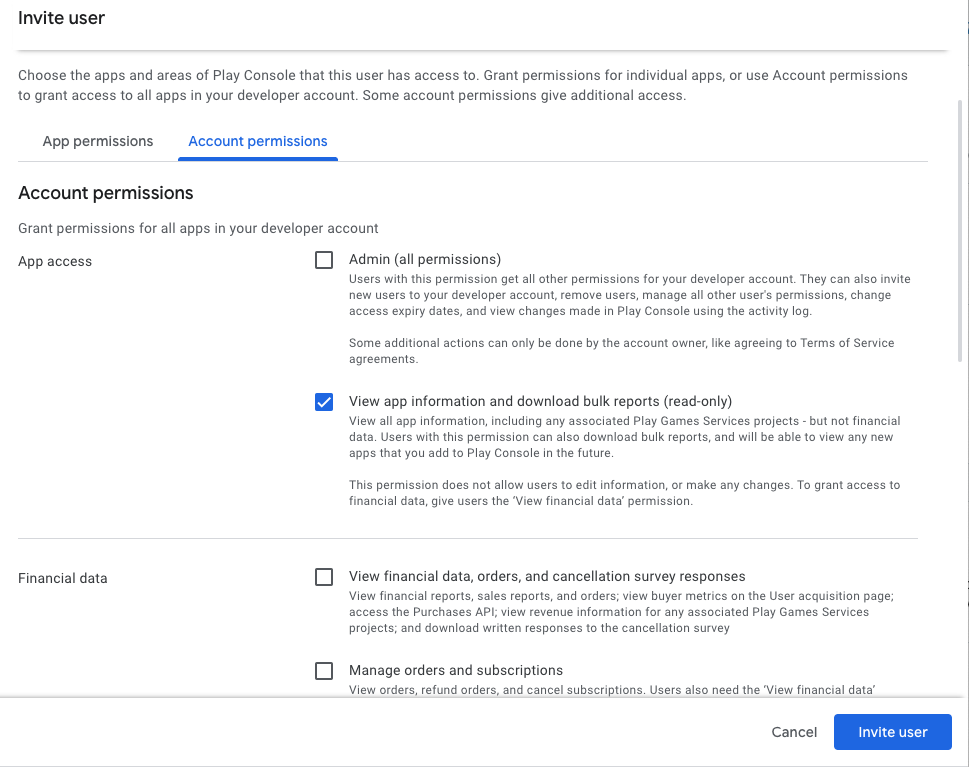
Hit the **Invite new users** button. Paste the email you copied from the Service Account page then scroll to **Account Permissions**.
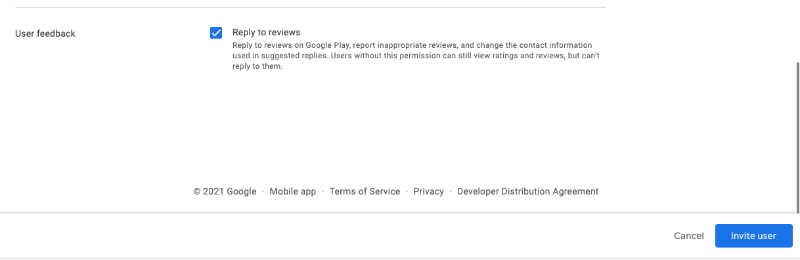
Uncheck all except:
1. View app information and download bulk reports (read-only) – so you’re only giving the Visibility permission to Appinion. This allows us to access the data in the Reports section of your Console account, which is where we obtain the historical review data.
2. Reply to reviews – so you can reply from within Appinion.
Then press Invite User.
 ### Package Id
The Package Id is available on your Play Developer Console and should look like this [**com.xxx**](http://com.xxx)**.yourappname**
### Bucket Id
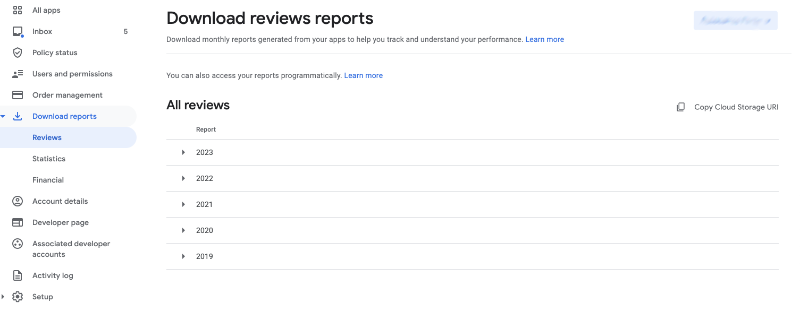
Head back to your Play Developer Console and navigate to **Download reports** from the left menu. Click into **Reviews** and select your app from the right.
Click on Copy Cloud Storage URI.
### Package Id
The Package Id is available on your Play Developer Console and should look like this [**com.xxx**](http://com.xxx)**.yourappname**
### Bucket Id
Head back to your Play Developer Console and navigate to **Download reports** from the left menu. Click into **Reviews** and select your app from the right.
Click on Copy Cloud Storage URI.